

Read Kafka records without a schema ID prefix in Flink SQL
You can use Flink SQL to read Kafka records that weren’t serialized with Schema Registry serializers. Register a schema in Schema Registry for the topic’s subject, and Flink deserializes the records against that schema automatically. This approach works with Avro, JSON, and Protobuf formats.
Note
This schema resolution behavior is specific to Flink. Registering a schema for the topic’s subject doesn’t change how producers serialize data, and it doesn’t add a schema ID to the record key or value. Other consumers, Connect connectors, and features like Tableflow don’t use this schema and continue to see the raw, unprefixed bytes.
How Flink reads records without schema IDs
On every read, Flink determines which schema to use for deserialization by applying the following fixed resolution chain:
Flink looks for a schema ID in the Kafka record header. If present, Flink uses it to fetch the schema from Schema Registry.
If the header has no schema ID, Flink looks for a schema ID at the start of the record payload (the 5-byte Confluent wire-format prefix: a magic byte followed by a 4-byte schema ID). If present, Flink uses it to fetch the schema from Schema Registry.
If neither is present, Flink falls back to the schema you registered in Schema Registry for the topic’s subject. This is the case this guide covers.
Because the chain is fixed, Flink automatically handles records that carry schema IDs in the header or in the payload. You don’t need any per-table configuration on the read side. The key.format.id-encoding and value.format.id-encoding options control write behavior only and do not affect reads.
Prerequisites
You need the following prerequisites to use Flink in Confluent Cloud Console.
Access to Confluent Cloud.
A Kafka topic containing events you want to process
Appropriate permissions to access Schema Registry in Confluent Cloud
Step 1: Submit your schema to Schema Registry
Log in to the Confluent Cloud Console.
Navigate to the Topics Overview page.
Locate your topic and select it to open the topic details page.
Click the Schema tab, and then click Add schema.
Submit your schema in Avro, Protobuf, or JSON format.
For more information, see Create a schema.
Format
Partial schemas
Field order
JSON
Supported (undefined fields ignored)
Order doesn’t matter
Avro
Not supported (mark optional fields explicitly)
Must match definition order
Protobuf
Not supported (use
optionalkeyword)Must match definition order
The following example schemas show how to represent sensor data in full JSON, partial JSON, Avro, and Protobuf formats.
{
  "$schema": "http://json-schema.org/draft-07/schema#",
  "additionalProperties": false,
  "properties": {
    "humidity": {
      "description": "The humidity reading as a percentage",
      "type": "number"
    },
      "id": {
      "description": "The unique identifier for the event",
      "type": "string"
    },
      "temperature": {
      "description": "The temperature reading in Celsius",
      "type": "number"
    },
      "timestamp": {
      "description": "The timestamp of the event in milliseconds since the epoch",
      "type": "integer"
    }
  },
  "required": [
    "id"
  ],
  "title": "DynamicEvent",
  "type": "object"
}
{
  "$schema": "http://json-schema.org/draft-07/schema#",
  "additionalProperties": false,
  "properties": {
    "id": {
      "description": "The unique identifier for the event",
      "type": "string"
    }
  },
  "required": [
    "id"
  ],
  "title": "DynamicEvent",
  "type": "object"
}
{
  "fields": [
    {
      "name": "id",
      "type": "string"
    },
    {
      "default": null,
      "name": "timestamp",
      "type": [
        "null",
        "long"
      ]
    },
    {
      "default": null,
      "name": "temperature",
      "type": [
        "null",
        "float"
      ]
    },
    {
      "default": null,
      "name": "humidity",
      "type": [
        "null",
        "float"
      ]
    }
  ],
  "name": "DynamicEvent",
  "type": "record"
}
syntax = "proto3";
package example;

message DynamicEvent {
  string id = 1;
  optional int64 timestamp = 2;
  optional float temperature = 3;
  optional float humidity = 4;
}
Step 2: Query your table
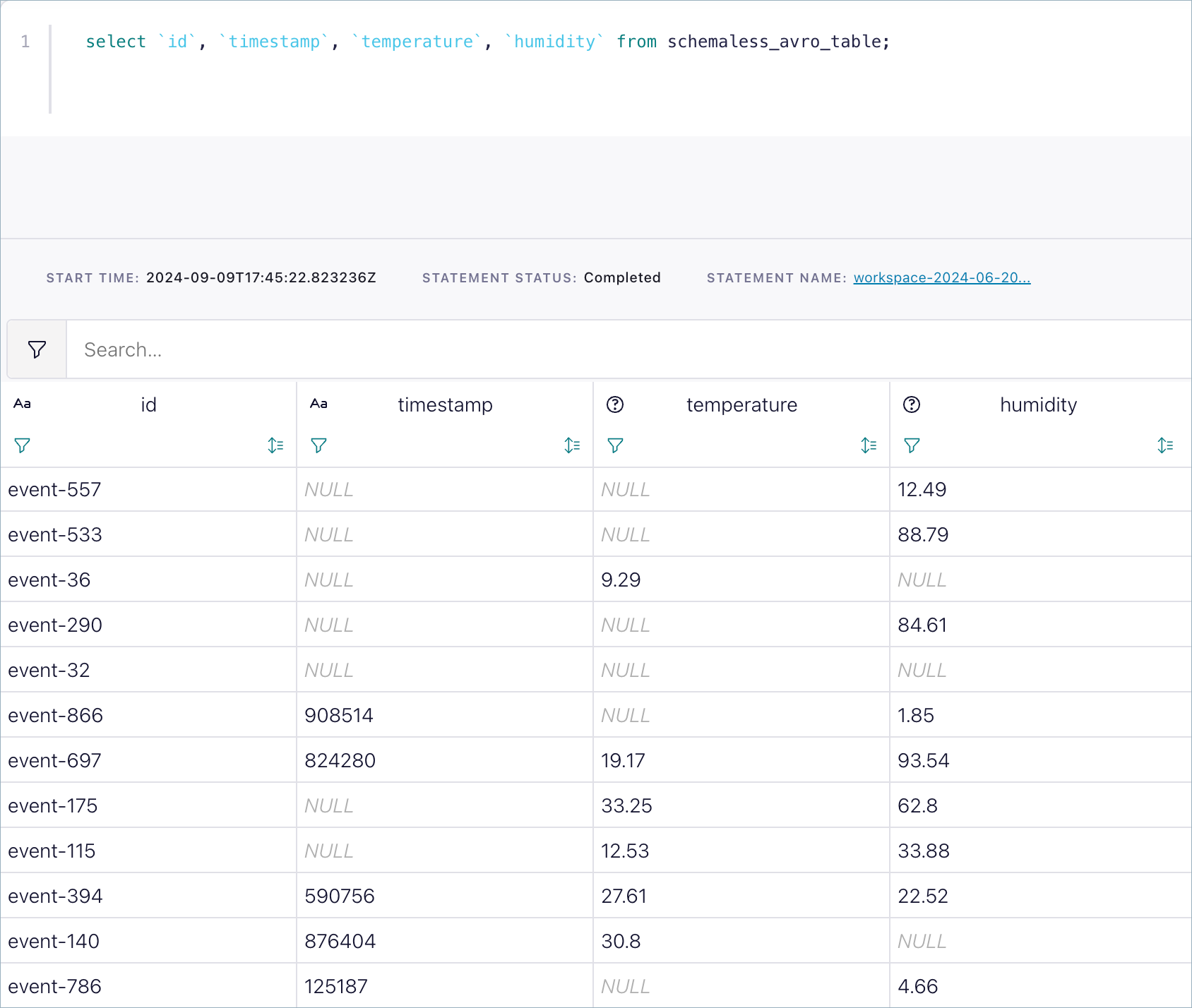
After you submit the schema, you can start querying your topic immediately by using Flink SQL.
SELECT * FROM your_table LIMIT 10;
Flink first tries to deserialize as if a Schema Registry serializer had serialized the data, and otherwise treats the incoming bytes as raw Avro, Protobuf, or JSON. The defined schema interprets the data even when events don’t contain schema information.
If the topic has no registered key schema, Flink infers a key column of
type BYTES to represent the raw record key. For more information, see
Inferred table examples.
Limitations and best practices
This approach does not support automatic schema evolution within the stream. If you want to evolve the schema, you must manually evolve it and consider the impact as described in Schema Evolution and Compatibility for Schema Registry on Confluent Cloud.
When possible, you should always use the Schema Registry serializers to gain the benefits of properly governing your data streams. This method works even if an event doesn’t include schema version information in its byte stream.
You can submit a partial schema only for JSON. Flink processes the defined fields and ignores the rest.