

Configure Networking
Configure networking options in Confluent for Kubernetes (CFK) to expose Apache Kafka® and other Confluent Platform components to clients.
Confluent Platform networking interfaces
The following images show the networking interfaces available for Confluent Platform components.
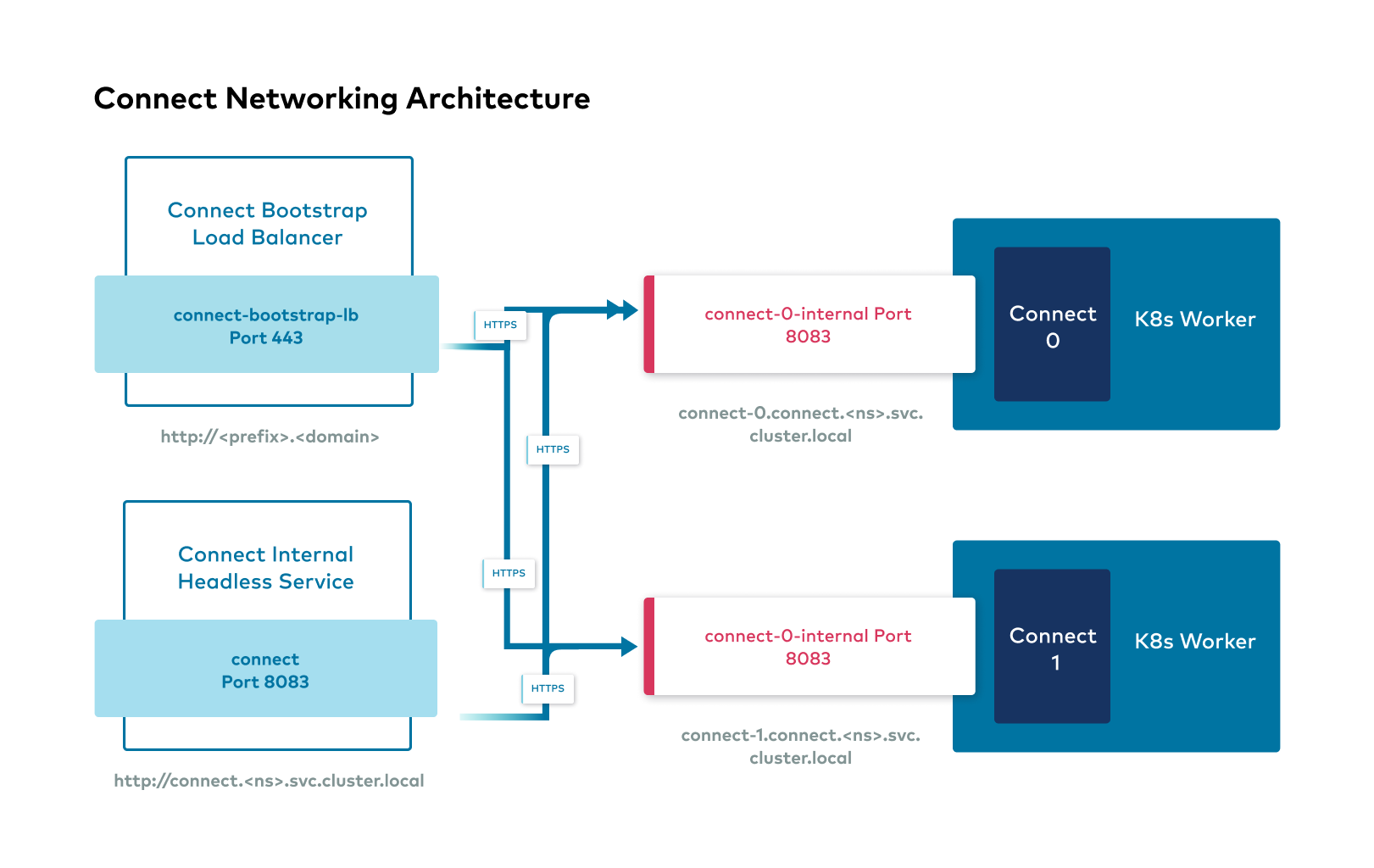
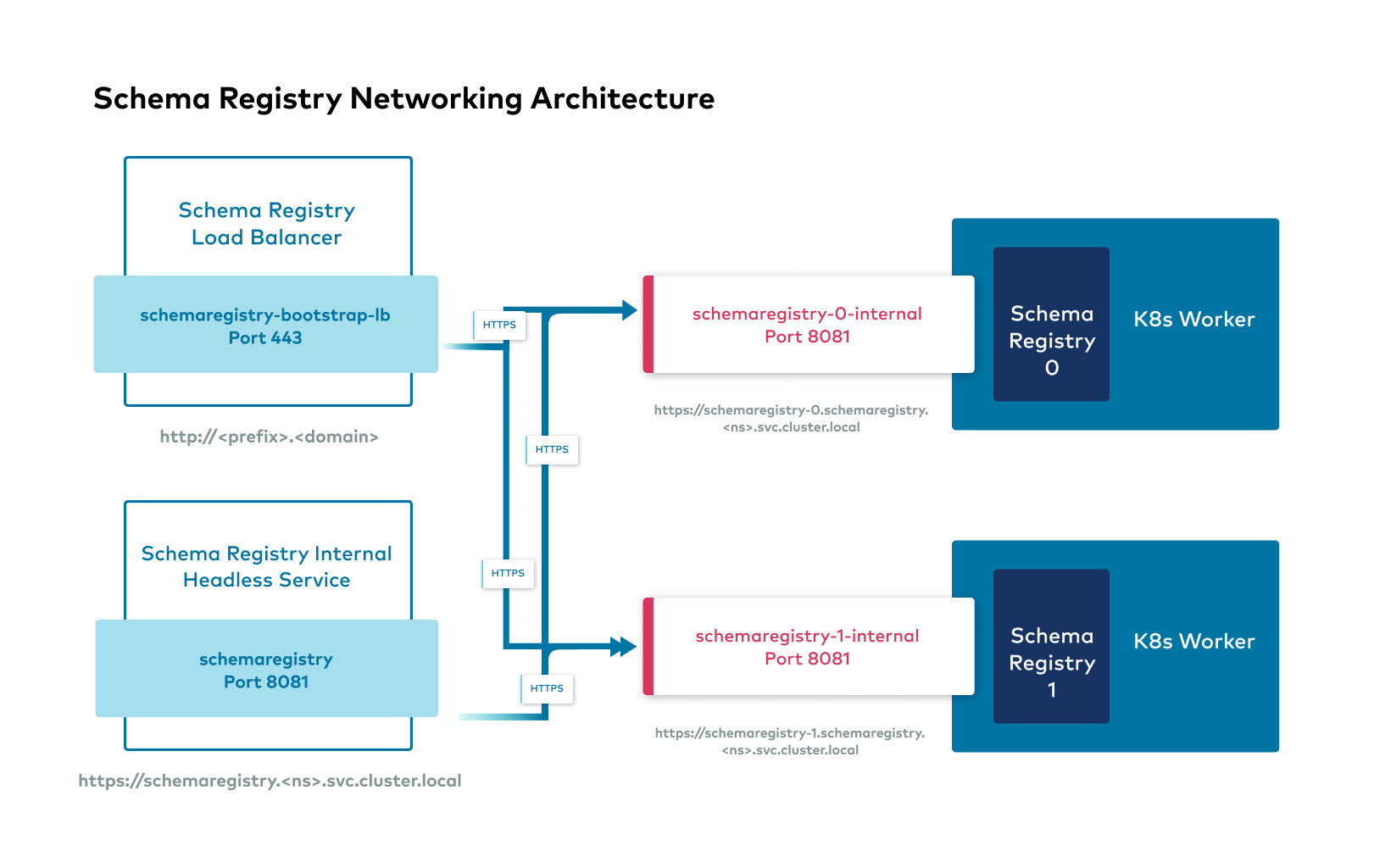
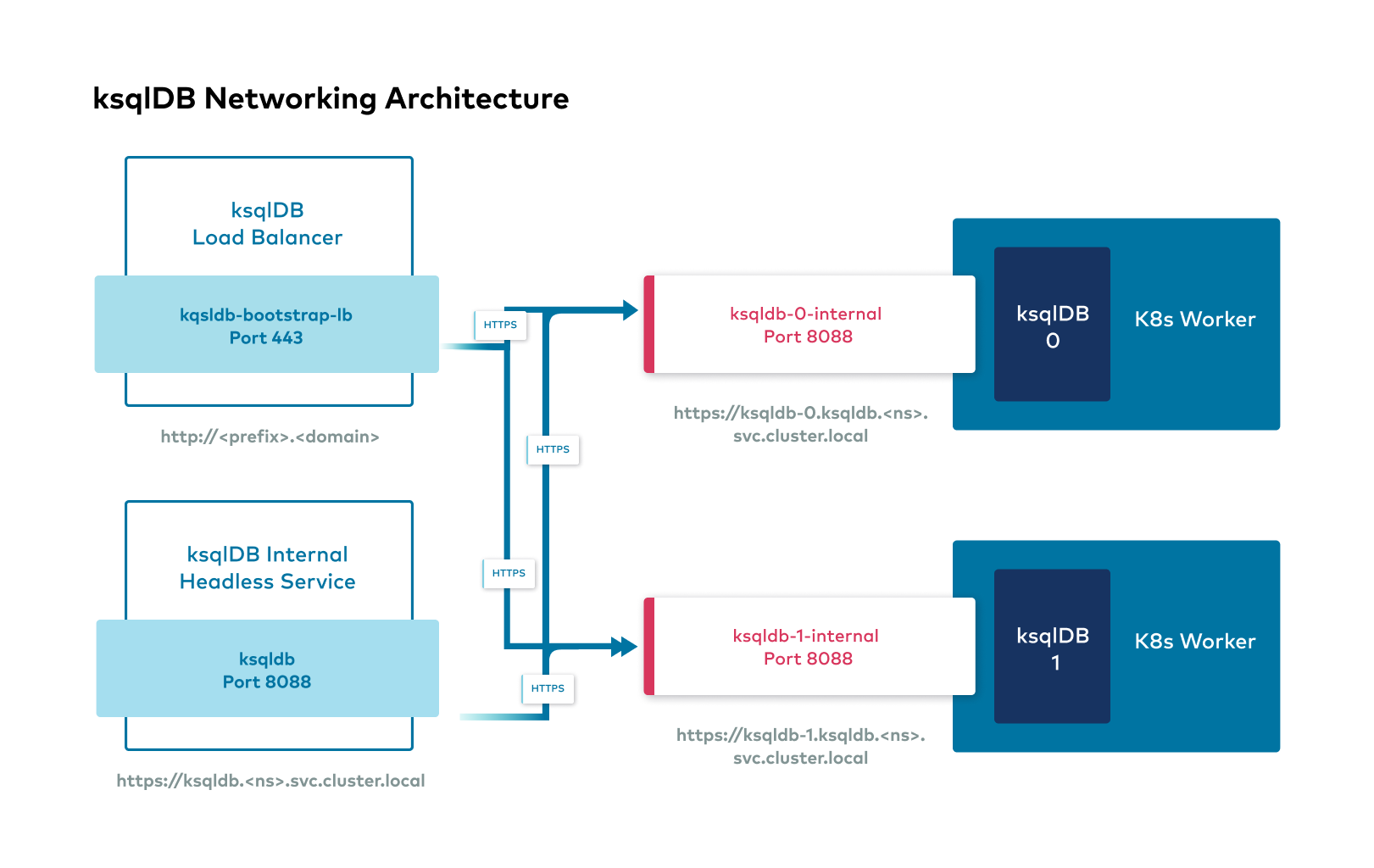
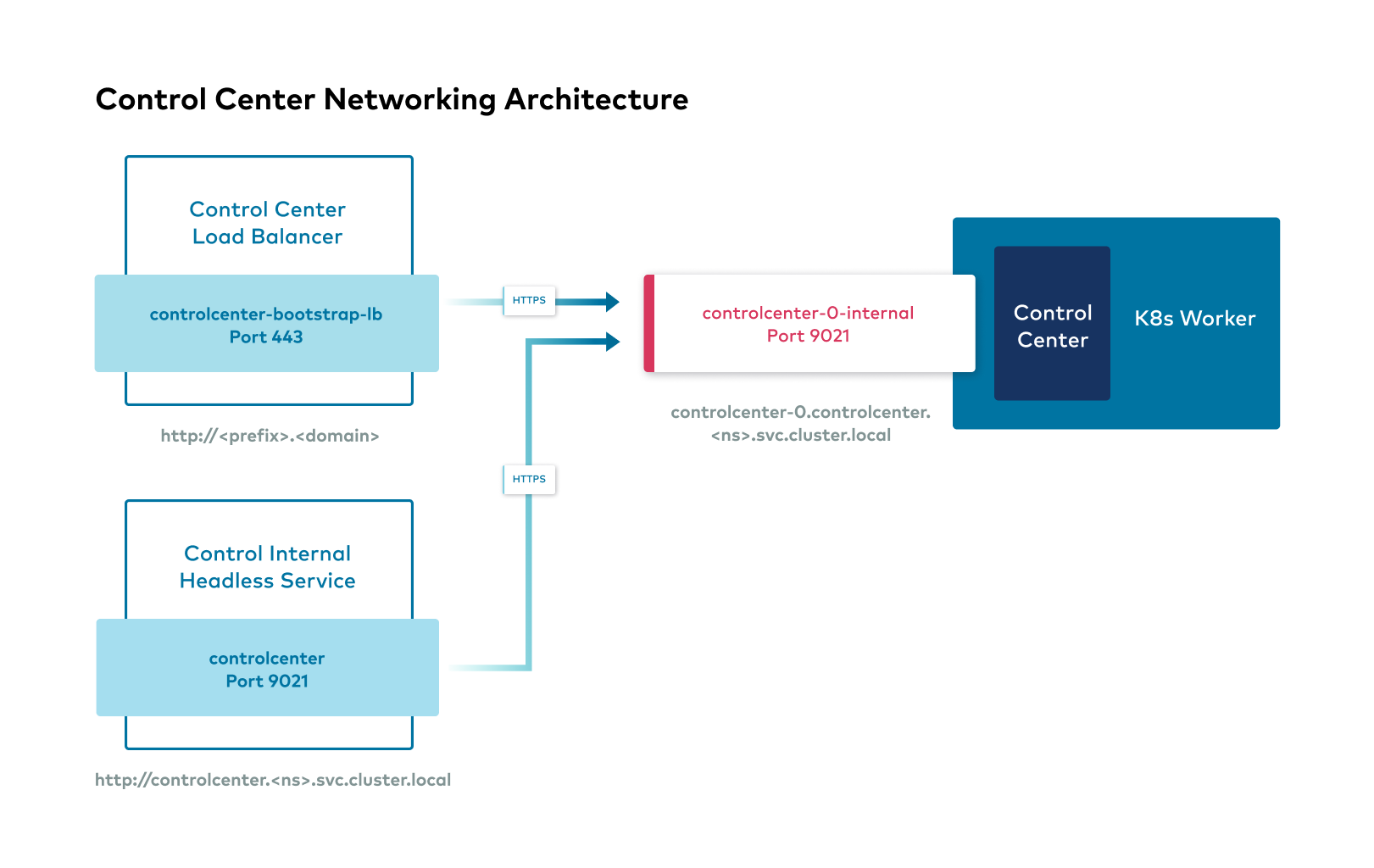
Confluent Platform external interfaces
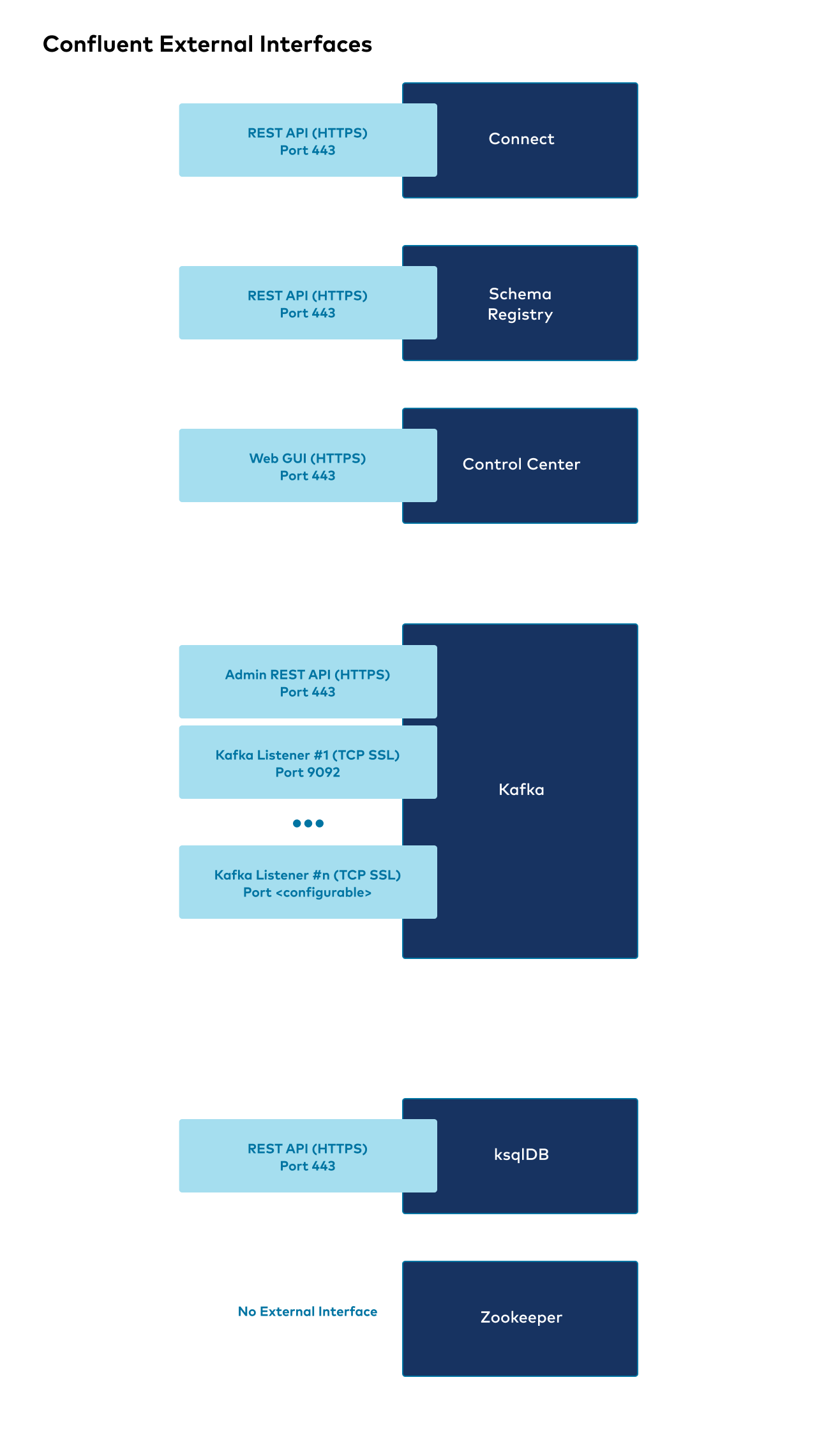
The following shows the high level overview of external interfaces to connect to Confluent components from outside the Kubernetes cluster.
Kafka listeners
Listeners are the interfaces that Kafka binds to. Advertised listeners are how clients and components can connect to Kafka.
You configure a Kafka listener by providing a hostname, port, and security protocol.
CFK allows you to configure listeners in flexible ways while providing the same default configurations. To facilitate that, CFK organizes listeners into the following categories in Kafka custom resources (CRs):
- Internal listener
Within the same Kubernetes cluster, Confluent components deployed by CFK and client applications connect to Kafka over Kafka’s internal listener at the following addresses:
If the Kafka cluster is deployed to the same namespace as this client or component:
<kafka-component-name>:9071If the Kafka cluster is deployed to a different namespace from this client or component:
<kafka-component-name>.<kafka-namespace>.svc.cluster.local:9071
- External listener
Clients external to the Kubernetes network connect to Confluent Platform components using the external listener, with the default port
9092.You cannot change a component’s external access method after you enable one and deploy Confluent. CFK supports the following external access methods, and you can configure each component with only one method:
External access method
Description
Clients connect to Confluent Platform using the Kubernetes provider’s load balancer.
Clients connect to Confluent Platform at specified static ports (the NodePort) on the Kubernetes worker node (or through customer-managed networking infrastructure that can forward traffic to those ports).
A Kubernetes Ingress controller manages clients’ connection to Kafka using port-based routing.
A Kubernetes Ingress controller manages clients’ connection to Kafka using host-based routing.
Clients connect to Confluent Platform using OpenShift routes.
- Custom listeners
In addition to external and internal access listeners, you can configure additional custom listeners to access Kafka, for example, to have a separate networking channel for sets of clients.
You can specify a port number greater than
9092. CFK reserves9092and lower port numbers.The name of a custom listener is case-insensitive.
See Kafka custom listeners for a sample scenario for setting up custom Kafka listeners.
- Replication listener
Kafka uses the replication listener for inter-broker communication.
You can override the inter-broker listener to use another listener type, such as the internal listener. Set the following Kafka property using the configOverride feature.
inter.broker.listener.name=INTERNAL
In CFK, you can configure the following for each Kafka listener:
Security
Networking: External access method
Name of custom listeners
Note
Starting in CFK 2.6, you cannot use
controlleras a custom listener name, ascontrolleris a reserved word for KRaft deployment.
Configure the internal per-replica ClusterIP service
For each replica of Kafka, KRaft controller, ZooKeeper, Connect, Schema Registry, ksqlDB, Control Center, or REST Proxy, CFK creates a per-replica internal ClusterIP service in addition to the component’s headless service. By default, Kubernetes removes a replica’s address from this service’s endpoints as soon as the replica’s pod fails its readiness probe, for example, while it restarts.
If you roll many pods of a component at the same time, removing their addresses from their internal services’ endpoints can disrupt in-cluster traffic to those replicas. For example, Kafka partitions can go offline during a rolling restart.
To keep a replica’s address published in its internal ClusterIP service’s
endpoints even while the pod is not ready, set publishNotReadyAddresses
to true in the component CR:
spec:
  internalService:
    publishNotReadyAddresses: true
The default value is false.
Note
If the Kafka replication listener uses an OpenShift route for external access, as in a multi-region cluster (MRC) deployment, the internal ClusterIP service backing that route always publishes not-ready addresses, regardless of this setting.
Access ksqlDB from Control Center
When Control Center and ksqlDB run inside the same Kubernetes cluster, the
components communicate with each other using their internal endpoints
(svc.local). When you connect to Control Center in a browser outside the
Kubernetes cluster, Control Center forwards the browser to ksqlDB and provides the
browser with ksqlDB’s internal endpoint. That endpoint is likely
inaccessible to the browser, so data does not flow between the browser and
the ksqlDB cluster.
If you configure your ksqlDB cluster with an external endpoint using a load
balancer, a node port, or a route, specify the advertisedUrl in the
Control Center CR to use that external endpoint for browser connections:
kind: ControlCenter
spec:
  dependencies:
    ksqldb:
      - name: <ksqldb_cluster_name>
        advertisedUrl: <url>