

View Tenant Quotas Using Control Center for Confluent Platform
When you enable multi-tenancy mode on a physical Kafka cluster (PKC), users with PKC-scoped role bindings, such as Platform Operators, can access the Quota Overview page in the navigation menu. This page shows quota usage and configuration details across all Logical Kafka Clusters (LKCs) managed by this Control Center instance.
Note
This page displays tenants for the single PKC managed by this Control Center instance. If you use a role binding scoped to individual LKCs instead, see View a tenant’s quota allocation.
Overview tab
The Overview tab displays usage statistics for each LKC with its configured limits:
Production rate: The 95th percentile (p95) ingress rate over the last hour.
Consumption rate: The 95th percentile (p95) egress rate over the last hour.
Connections: The current number of active client connections.
Partitions: The total number of partitions in use across all topics in the LKC.
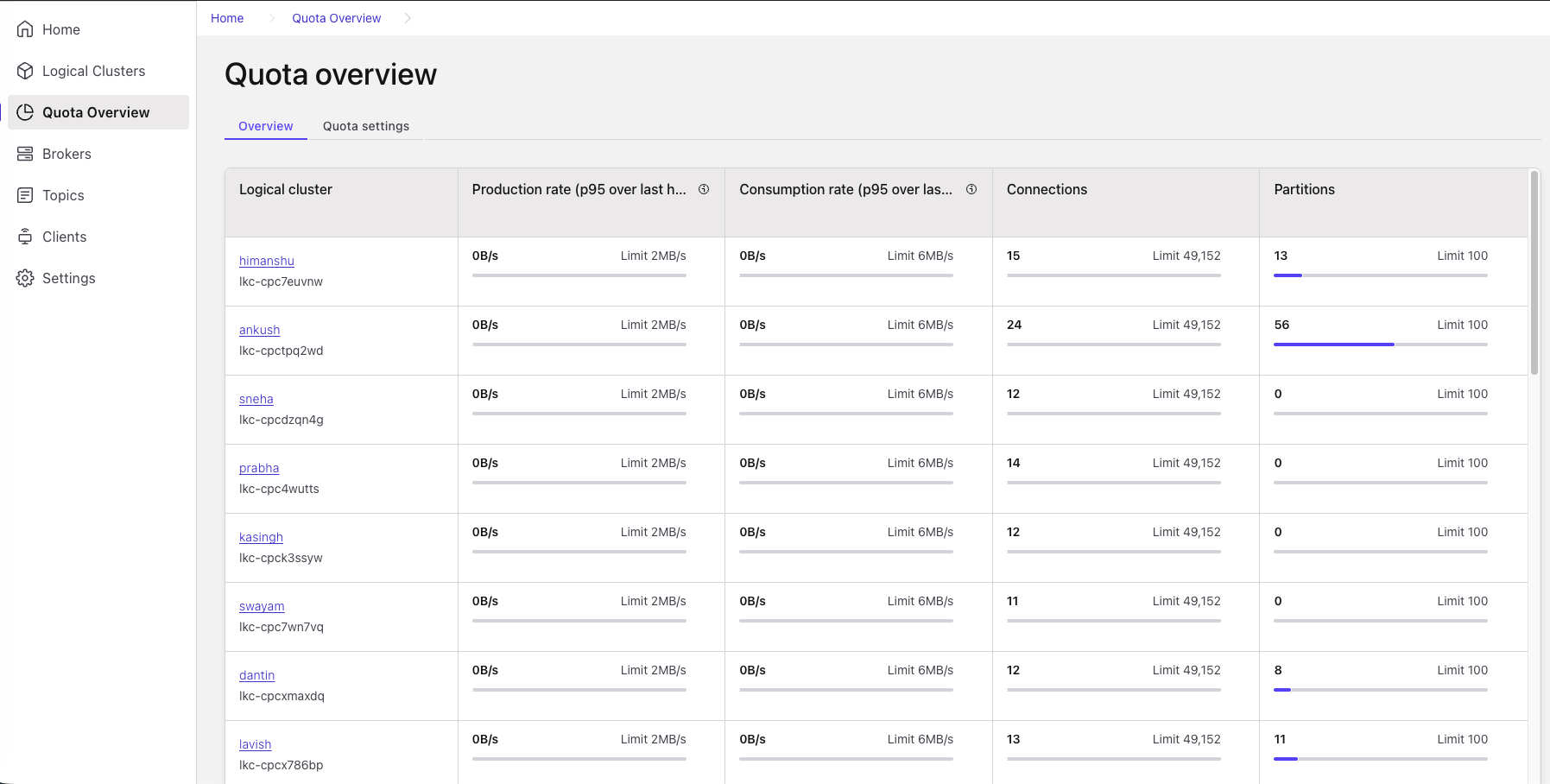
Quota Overview, Overview tab
If an LKC has no configured limit for a metric, Control Center shows Limit not configured instead of a threshold.
Control Center updates these values about once a minute. After usage or limits change, wait up to a minute for the page to reflect the change.
Quota settings tab
The Quota settings tab shows the quota configuration that defines the
limits shown on the Overview tab. This tab is read-only. You can’t
change quotas or limits in Control Center. Platform operators set the
quotas and limits for each LKC in its LogicalKafkaCluster resource
using Confluent for Kubernetes.
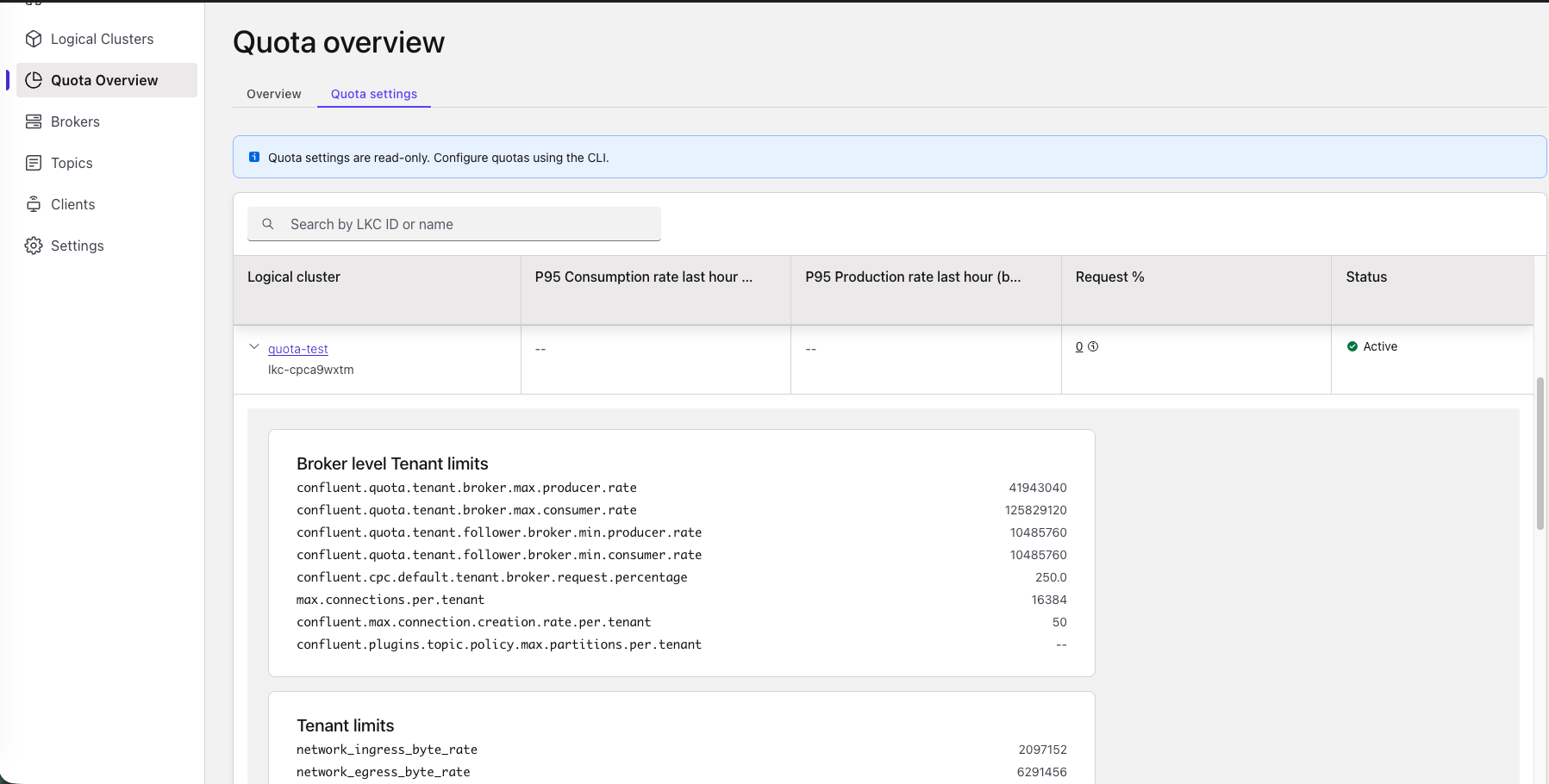
Quota Overview, Quota settings tab
To inspect a specific tenant, search by LKC ID or name, and then expand its row to view:
P95 production and consumption rates: The p95 ingress and egress byte rates over the last hour, in bytes per second.
Request %: The LKC’s average share of request-handling capacity across all brokers. Hover over the information icon to view the per-broker breakdown.
Broker level Tenant limits: Global broker configuration properties that apply to all tenants on the PKC. For example,
confluent.quota.tenant.broker.max.producer.rateandmax.connections.per.tenant.Tenant limits: Specific limits and quotas configured directly on this LKC. For example,
network_ingress_byte_rateandnetwork_egress_byte_rate.
For the Control Center multi-tenancy mode settings, see Multi-tenancy settings.