

Cluster Linking for Confluent Platform
Cluster Linking on Confluent Platform lets you directly connect clusters and mirror topics with byte-for-byte replication, supporting hybrid cloud, disaster recovery, global replication, data sharing, and cluster migration use cases.
What is Cluster Linking?
Cluster Linking enables you to directly connect clusters and mirror topics from one cluster to another with byte-for-byte replication. Mirror topics maintain globally consistent offsets and identical content across partitions. Cluster Linking is secure, high-performance, tolerant of network latency, and built into Confluent Server and Confluent Cloud, making it easy to build multi-datacenter, multi-region, and hybrid cloud deployments.
Unlike Confluent Replicator and MirrorMaker 2, Cluster Linking does not require running Connect to move messages between clusters.
Capabilities and comparisons
Cluster Linking replicates topics from one Apache Kafka® or Confluent cluster to another, providing the following capabilities:
Global replication: Unify data and applications from regions and continents around the world.
Hybrid cloud: Create a secure, scalable bridge to cloud by linking an on-premises Confluent Platform cluster in a private cloud to a Confluent Cloud cluster in a public cloud.
High availability and disaster recovery: Build a multi-region high availability and disaster recovery strategy that achieves low recovery time objectives (RTOs) and minimal data loss through low recovery point objectives (RPOs) by replicating topic data and metadata to another cluster.
Cluster migration: Migrate from an older cluster to one in a newer environment, region, or cloud.
Aggregation: Combine data from many smaller clusters into one aggregate cluster.
Data sharing: Exchange data between different teams, lines of business, and organizations.
Cluster Linking offers these advantages over other Kafka replication options:
Built into Confluent Server and Confluent Cloud, so it does not depend on additional components, connectors, virtual machines, or custom processes.
Creates exact mirrors of topics, including offsets, to enable migration and failover without offset translation or custom tooling.
You can dynamically update cluster links with REST APIs, CLIs, and Kubernetes custom resource definitions (CRDs).
For compressed messages, byte-for-byte replication achieves faster throughput by avoiding decompression-and-recompression.
Supported platforms and versions
KRaft and ZooKeeper
Use KRaft mode for new deployments. ZooKeeper is no longer available for new deployments as of Confluent Platform 8.0. To learn more about running Kafka in KRaft mode, see KRaft Overview for Confluent Platform and the KRaft steps in the Quick Start for Confluent Platform. To learn about migrating from older versions, see Migrate from ZooKeeper to KRaft on Confluent Platform.
For this migration,
password.encoder.secretisn’t required in KRaft mode, but is required when migrating from ZooKeeper to KRaft. For an example of using this parameter for Cluster Linking with older versions on ZooKeeper, see Tutorial: Link Confluent Platform and Confluent Cloud Clusters. To learn how Confluent Platform 8.0 and later handles this parameter, see Update password configurations dynamically.This documentation shows examples for KRaft mode only. Earlier versions of this documentation show examples for both KRaft and ZooKeeper.
Some examples in the various tutorials show a combined mode configuration, where for each cluster the broker and controller run on the same server. Don’t use combined mode in production. This tutorial uses it only for simplicity. If you want to run controllers and brokers on separate servers, use KRaft in isolated mode. To learn more, see KRaft Overview for Confluent Platform and KRaft Configuration for Confluent Platform.
Supported platform and tools compatibilities
Confluent Server includes Cluster Linking at no licensing cost beyond the Enterprise license subscription. Use an inter-broker protocol (IBP) of 3.0 or later on both the source and destination clusters.
Requires Confluent Server destination cluster running Confluent Platform 7.8.x or later.
Works with all clients. For a guide to upgrading, see Steps for upgrading to 8.4.x.
Built-in custom resource in Confluent for Kubernetes.
Compatible with Ansible. To learn more, see Using Cluster Linking with Ansible.
Authenticates and authorizes connections, as described in Manage Security for Cluster Linking on Confluent Platform.
The source cluster can be Kafka, Confluent Server, or Confluent Cloud. The destination cluster must be Confluent Server, which is bundled with Confluent Enterprise.
Cluster Linking supports bidirectional links between two clusters, but you must create two separate links, not a single link. The Hybrid tutorial gives an example of creating a bidirectional link between an on-premises Confluent Platform cluster and a Confluent Cloud cluster.
In addition to self-managed deployments on Confluent Platform, Cluster Linking is also available as a managed service on Confluent Cloud and in Hybrid cloud.
Source |
Destination |
|---|---|
Confluent Platform 7.8.x or later [1] |
Confluent Platform 7.8.0 or later |
Confluent Cloud |
Confluent Platform 7.8.0 or later |
Kafka 3.8.x or later [1] |
Confluent Platform 7.8.0 or later |
Confluent Platform 7.8.x or later [1] |
Confluent Cloud [2] |
Confluent Cloud |
Confluent Cloud [2] |
Kafka 3.8.x or later [1] |
Confluent Cloud [2] |
Confluent Platform 7.8.0 or later (source-initiated link) |
Confluent Platform 7.8.0 or later |
Confluent Platform 7.8.0 or later (source-initiated link) |
Confluent Cloud |
Footnotes
Use cases and architectures
The following configurations and architectures support these use cases.
Hybrid cloud
Use case: Create a persistent bridge from on-premises environments to cloud environments. A cluster link between a Confluent Platform cluster in your datacenter and a Confluent Cloud cluster in a public cloud acts as a single, secure, scalable hybrid data bridge for hundreds of topics, applications, and data systems. Cluster Linking can tolerate the high latency and unpredictable networking availability that you might have between on-premises infrastructure and the cloud, and recovers from reconnections automatically. Cluster Linking can replicate data bidirectionally between your datacenter and the cloud without any firewall holes or special IP filters because your datacenter always makes an outbound connection. Cluster Linking creates a byte-for-byte, globally consistent copy of your data that preserves offsets, so you can migrate on-premises applications to the cloud. Cluster Linking is built into Confluent Platform and does not require extra components to manage.
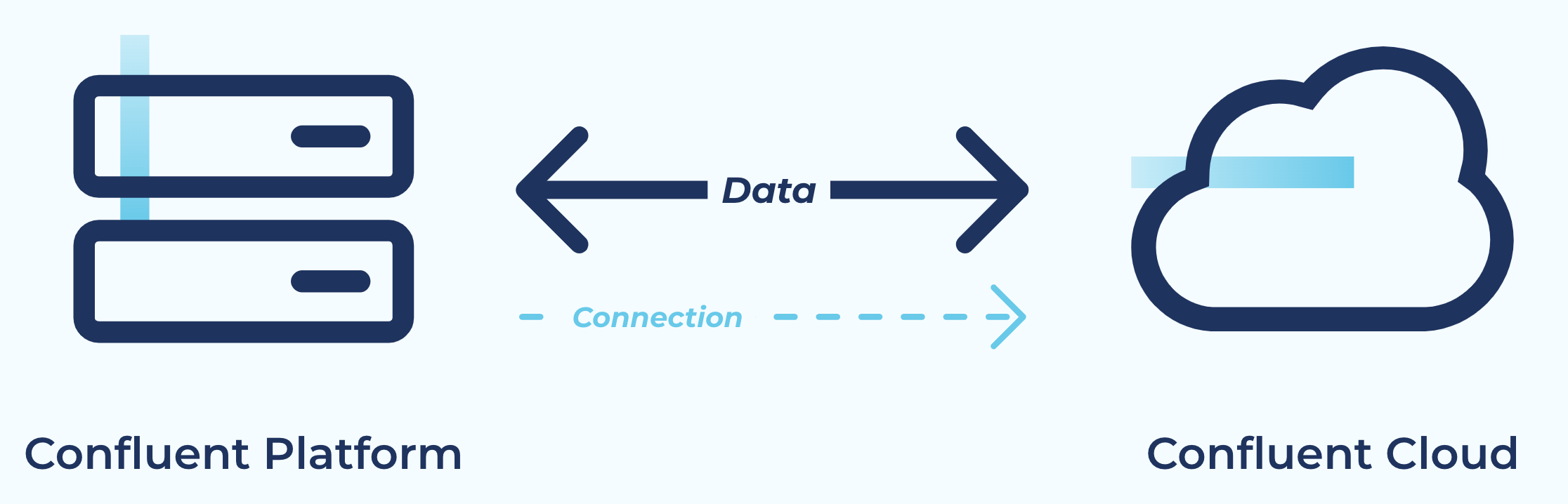
Tutorial: Tutorial: Link Confluent Platform and Confluent Cloud Clusters
Disaster recovery
Use case: Create a disaster recovery cluster that can fail over if your primary cluster experiences an outage or disaster. Cluster Linking keeps your disaster recovery cluster in sync with data, metadata, topic structure, topic configurations, and consumer offsets to achieve low RPOs and RTOs, often measured in minutes. Cluster Linking for disaster recovery doesn’t require an expensive network, complicated management, or extra software components. Because Cluster Linking preserves offsets and syncs consumer offsets, consumer applications in any language can fail over and resume near the point where they left off, achieving low downtime without custom code or interceptors.
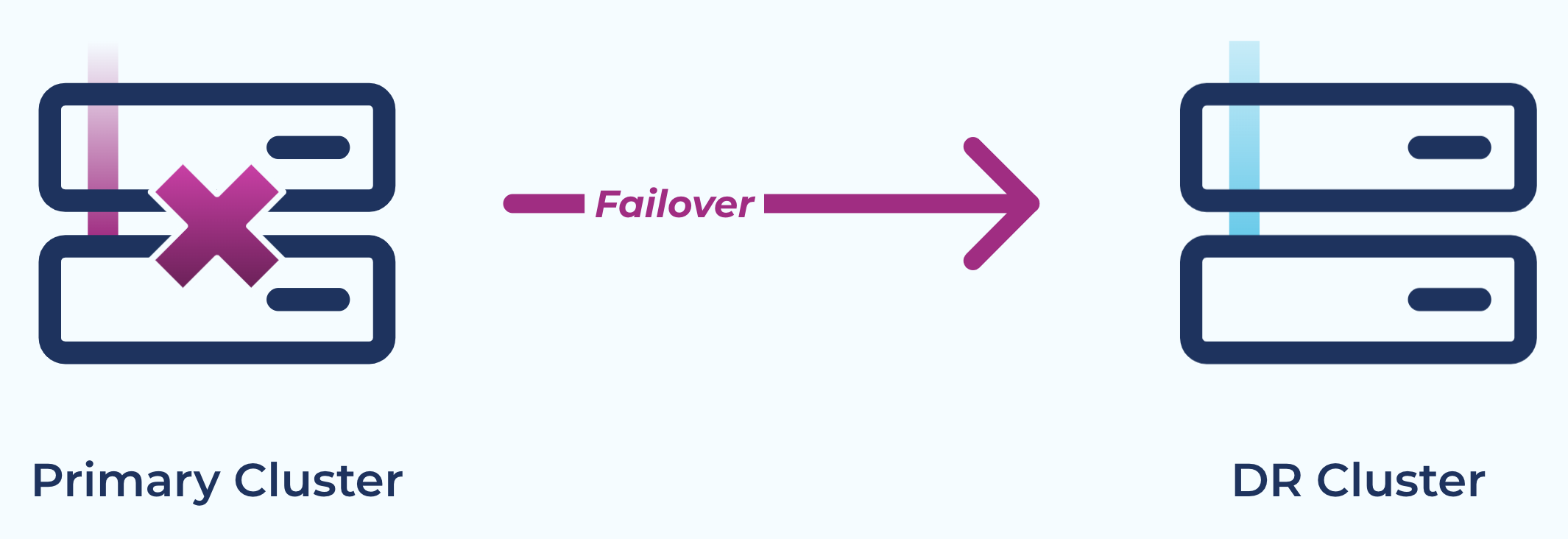
Global replication
Use case: Stream data between continents and regions where your business operates. Unify data from every region to create a global real-time event mesh. Aggregate data from different regions to drive the real-time applications and analytics that power your business. Because Cluster Linking makes geo-local reads of real-time data possible, it can act like a content delivery network (CDN) for your Kafka event records in the public cloud, in private clouds, and at the edge.
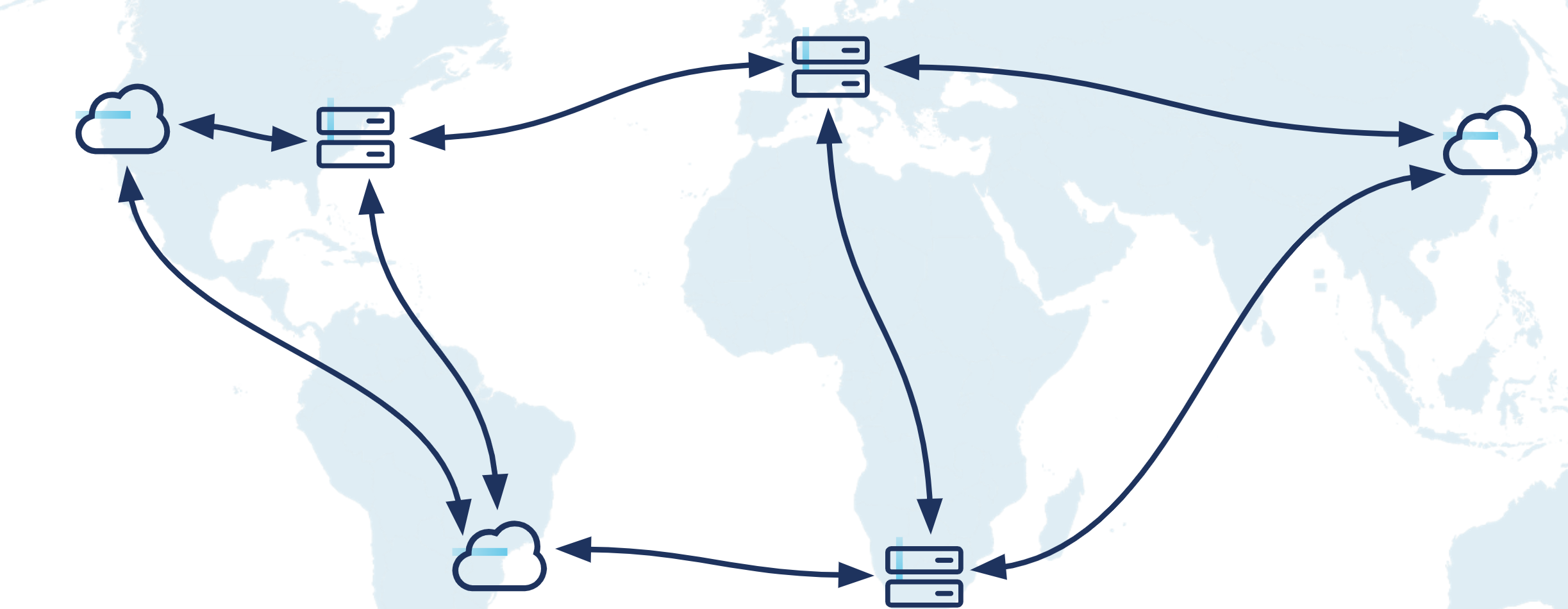
Data sharing
Use case: Share data between different teams, lines of business, or organizations in a pattern that isolates teams and simplifies operational management. Cluster Linking keeps an in-sync mirror copy of relevant data on the consuming team’s cluster. This isolation empowers the consuming team to scale up hundreds of consumer applications, stream processing applications, and data sinks without affecting the producing team’s cluster: for the producing team, it’s the same load as one additional consumer. The producing team issues a security credential with access to the topics that the consuming team is allowed to read. Then the consuming team can create a cluster link, which it controls, monitors, and manages.
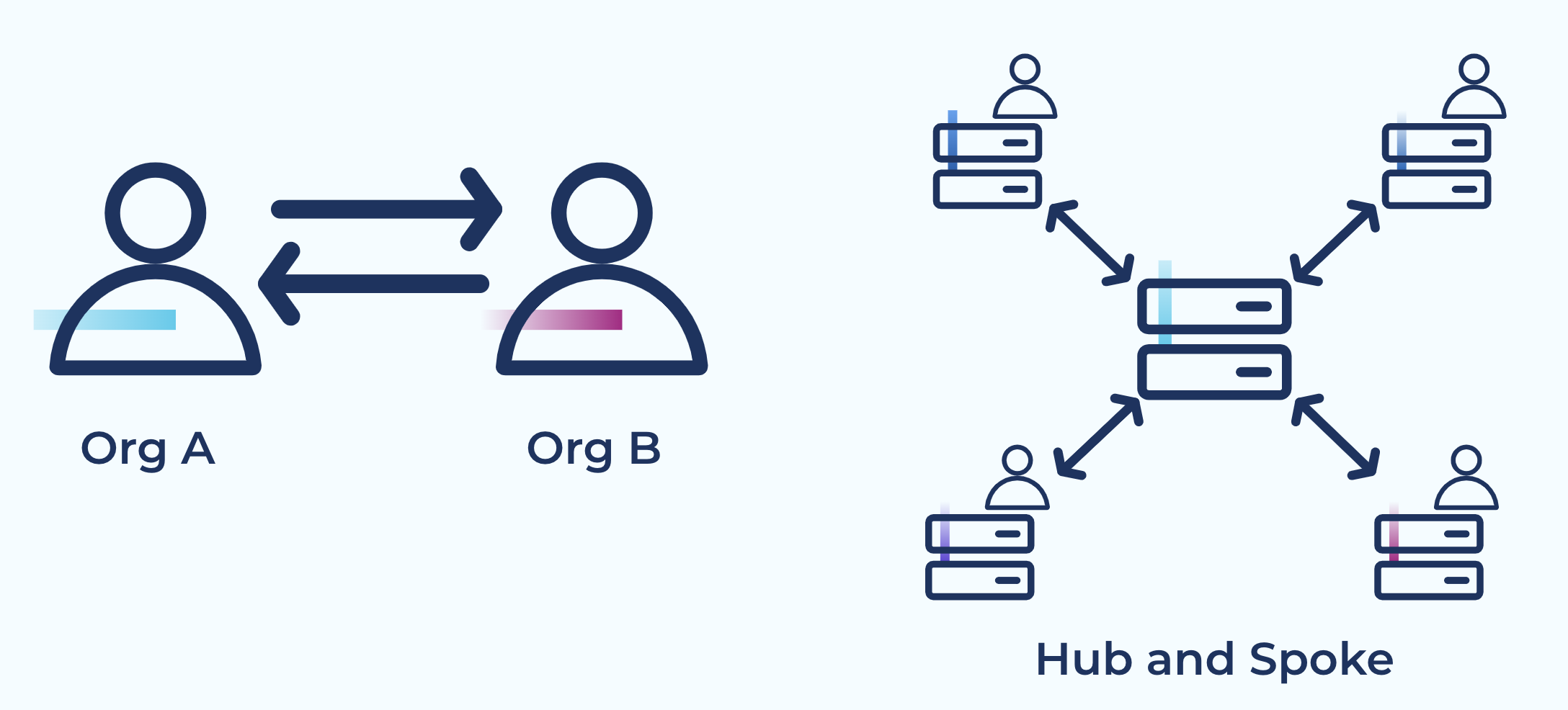
Tutorial: Tutorial: Share Data Across Topics Using Cluster Linking for Confluent Platform
Customer success story (video): Real-Time Inter-Agency Data Sharing With Kafka. Kafka and Cluster Linking have transformed how government agencies share data: in real time with faster onboarding of new data sets, real-time event notification, lower data-sharing costs, and enriched data sets that improve data quality.
Cluster migration
Use case: Move from an on-premises Kafka or Confluent Platform cluster to a Confluent Cloud cluster, or from older infrastructure to new infrastructure, with low downtime and no data loss. Cluster Linking’s native offset preservation and consumer offset syncing allow every consumer application to switch from the old cluster to the new one when it’s ready. Topics can be migrated over one by one, or in a batch. Cluster Linking handles topic creation, configuration, and syncing.
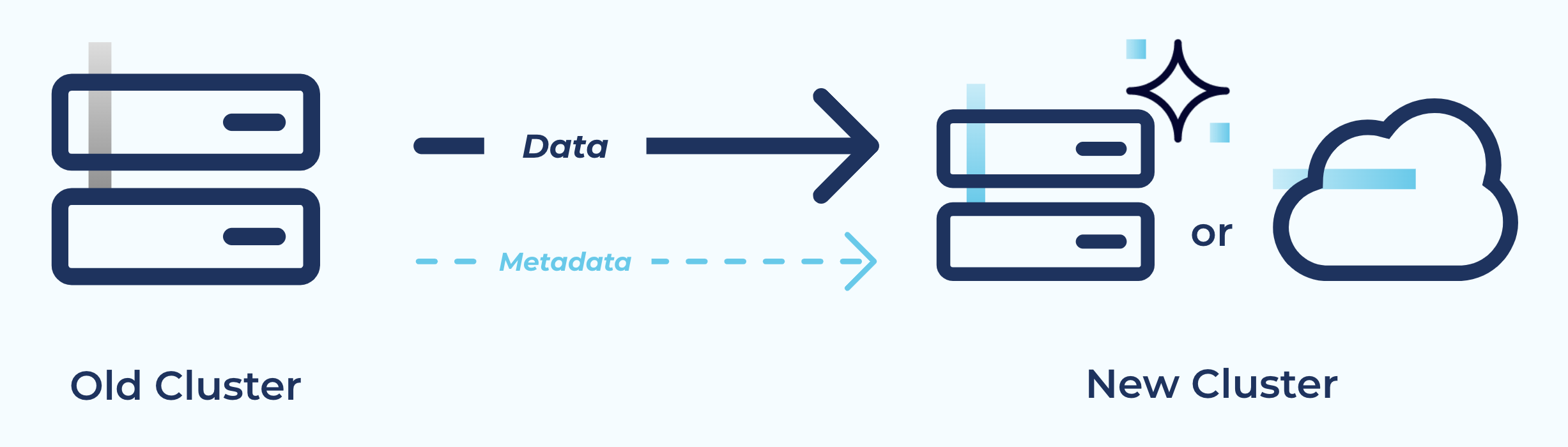
Tutorial: Tutorial: Migrate Data with Cluster Linking on Confluent Platform
Customer success story (PDF): In SAS Powers Instant, Real-Time Omnichannel Marketing at Massive Scale with Confluent’s Hybrid Capabilities, the subtopic “A much easier migration thanks to Cluster Linking” describes how SAS used Cluster Linking to migrate to Confluent for Kubernetes and other cloud-native solutions.
Scaling Cluster Linking
Because Cluster Linking fetches data from source topics, start by examining the number of partitions in the source topics. Having enough partitions lets Cluster Linking mirror data in parallel. Having too few partitions can make Cluster Linking stall on the most heavily used partitions.
In a Confluent Platform or Kafka cluster, you can scale Cluster Linking throughput as follows:
On the cluster link configurations, change the number of fetcher threads or the fetch size to improve batching.
Improve the cluster’s maximum throughput by scaling the brokers vertically or horizontally.
Use the options listed under Cluster Link Replication Configurations to tune cluster link performance, which helps scale cluster link throughput.
In Confluent Cloud, Cluster Linking scales with the ingress and egress quotas of your cluster. Cluster Linking can use all remaining bandwidth in a cluster’s throughput quota: 150 MB/sec per Confluent Unit for Kafka (CKU) egress on a Confluent Cloud source cluster or 50 MB/sec per CKU ingress on a Confluent Cloud destination cluster, whichever is hit first. To scale Cluster Linking throughput, adjust the number of CKUs on either the source, the destination, or both.
Note
On the destination cluster, Cluster Linking writes take lower priority than Kafka clients producing to that cluster; Cluster Linking will be throttled first.
Confluent proactively monitors all cluster links in Confluent Cloud and tunes them when necessary. If you find that your cluster link is not hitting these limits even after a full day of sustained traffic, contact Confluent Support.
To learn more, see recommended guidelines for Confluent Cloud.
Known limitations and best practices
Mirror topics
Confluent Control Center displays mirror topics as regular topics when not connected to REST Proxy API v3 for Confluent Platform, which can show features that are not available on mirror topics, such as producing messages or editing configurations. Connect the Confluent Platform cluster and Control Center to the v3 Confluent REST API for correct mirror topic display. To learn how to configure these clusters for the v3 Confluent REST API, see Required Configurations for Control Center.
Cluster Linking doesn’t support mirroring topics that contain messages produced using the Kafka transactions feature because it cannot guarantee exactly-once semantics on failover. Because replication is asynchronous and partitions are replicated independently, the destination cluster may not have a complete and consistent transaction state when failover occurs. For example, transaction completion markers for a transaction that spans multiple partitions can reach some partitions but not others, leaving a hung or torn transaction.
The issue is not that the markers can never arrive. Under normal operation, the cluster link may eventually catch up. However, failover can occur before that happens, and Cluster Linking does not make all partitions become visible atomically or safely repair a partially committed transaction. For this reason, transactional mirroring is not supported.
Consumer group offsets that are deleted on the destination cluster, especially those that are auto-deleted, persist instead of being removed as expected. To prevent extended retention of inactive consumer group offsets, increase
offsets.retention.minuteson the destination cluster by at least doubleoffsets.retention.check.interval.ms. Increasing this value ensures data is deleted on the source before it is deleted on the destination, preventing re-replication of offsets that are deleted on the source.Cluster Linking fails when encountering messages in the v0 or v1 format from the earliest versions of Kafka, transitioning the mirror topic to a
FAILEDstate and stopping replication. Cluster Linking can replicate messages in the v2 format, introduced in Kafka version 0.11, and later. To replicate a topic that contains messages in the v0 or v1 format, either begin replication after the last message in the v0 or v1 format using the cluster link configurationmirror.start.offset.spec, or use Confluent Replicator to replicate topics and messages.The reverse commands (
reverse-and-startandreverse-and-pause) do not support prefixed cluster links. If a cluster link is configured with acluster.link.prefix, you cannot use reverse APIs to swap mirroring directions during disaster recovery or failover scenarios.
Security and management limitations
Cluster Linking syncs access control lists (ACLs) between clusters, as described in sync ACLs between clusters. This is useful when moving clients between clusters for a migration or failover. For limitations, see Limitations on prefixing.
Do not use unauthenticated listeners with Confluent Platform. Cluster Linking can access the listeners, increasing the security risk. As a best practice, always configure authentication on listeners. To learn more, see the Enable Security for a KRaft-Based Cluster in Confluent Platform, the Authentication in Confluent Platform, and the listener configuration examples in the brokers for protocols such as SASL and Use TLS Authentication in Confluent Platform. For more information, see Manage Security for Cluster Linking on Confluent Platform.
TLS/SSL keystores, truststores, and Kerberos keytab files must be stored at the same location on each broker in a given cluster. If not, cluster links can fail. Or, you can configure a PEM certificate inline on the cluster link configuration.
Cluster Linking doesn’t support using a proxy to authenticate to the cluster. For supported security configurations, see Manage Security for Cluster Linking on Confluent Platform.
Each tutorial and use case lists its own prerequisites, because they differ by context. For tutorials, see topic data sharing and Tutorial: Link Confluent Platform and Confluent Cloud Clusters. For more secure-setup requirements, see Manage Security for Cluster Linking on Confluent Platform.
Confluent Private Cloud Multi-Tenancy
On a Confluent Private Cloud multi-tenant physical Kafka cluster, Cluster Linking operates at
the granularity of a single logical Kafka cluster (LKC). When a cluster link
connects through a tenant’s bootstrap URL, the link strips the tenant’s
topic-naming prefix on read and reapplies it on write. The link mirrors only
that tenant’s topics. If you enable consumer offset sync
(consumer.offset.sync.enable) or ACL sync (acl.sync.enable), the
link syncs only that tenant’s consumer group offsets or ACLs. You don’t need
any other cluster-link configuration to scope replication to one tenant.
Networking requirements
Firewalls that allow the cluster link connection from source cluster brokers to destination cluster brokers must allow the TCP connection to persist for Cluster Linking to work.
Configuration, monitoring, and troubleshooting
When deleting a cluster link, first check that all mirror topics are in the
STOPPEDstate. If any are in thePENDING_STOPPEDstate, deleting a cluster link can cause irrecoverable errors on those mirror topics due to a temporary limitation.Cluster link configurations for TLS/SSL keystores, truststores, and Kerberos keytab files must not be stored in
/tmpbecause/tmpfiles can get deleted, leaving links and mirrors in a bad state on some brokers.REST API calls to list and get source-initiated cluster links return destination cluster IDs under the parameter
destination_cluster_id(ordestination_clusterwith Confluent CLI version 4). Previous releases returned these values undersource_cluster_id.If you encounter the error
Unknown topic config name: message.timestamp.difference.max.mswhen creating a link or during consumer offset syncing, removemessage.timestamp.difference.max.msfrom the link configurationtopic.config.sync.include. This issue is fixed in Confluent Platform 8.0.1 and later, but you can still encounter it on version 8.0.0. To learn more, see Manage Mirror Topics for Cluster Linking on Confluent Platform.
Kafka protocol limits for consumer group configuration strings
Individual configuration strings and metadata arrays cannot exceed 32,767 characters.
Impact on consumer group synchronization
If you define a long list of groups in a single filter such as
consumer.offset.group.filters, large migrations with many consumer groups
can exceed the 32,767-character configuration string limit.
Solution
To avoid exceeding the 32,767-character configuration string limit, break large migrations into multiple cluster links using:
Narrower filter patterns.
Wildcard regular expression (regex) patterns.
Multiple smaller cluster links instead of one large link.