

Connector Billing
For both managed connectors and custom connectors, throughput billing is based on decompressed data, the metric reported by the connector. In Cloud Console, you can see decompressed data metrics on the tile in Connectors. The Apache Kafka® cluster reports compressed data, which you can see as a lower metric on the cluster tile in Environments.
Note
Custom connectors get billed similarly to managed Kafka Connect. However, Confluent allocates 2 GB of memory for a custom connector. This memory allocation can’t be changed.
Managed Connect cluster
If you use a dedicated Kafka cluster, connectors on
Confluent Cloud run on your own dedicated Connect cluster. Confluent Cloud provisions the
dedicated Connect cluster when you launch your first connector. If you use a
Basic or Standard Kafka cluster, your connector runs in
multitenant Kafka Connect clusters. For the connectors running on a
multitenant Connect cluster, there is no Connect capacity
(CONNECT_CAPACITY) charge.
If you pause a managed connector, its tasks also pause, which stops message processing until you restart the connector. The connector is still active and hourly base costs for tasks assigned to the connector continue to build up. To stop your Connect connectors from accumulating billed usage, you can delete them in the Confluent Cloud Console, or use the Confluent CLI.
The Dedicated cluster and fully managed connectors are billed based on the following dimensions. For custom connector billing details, see Custom connector cluster.
Dimension |
Unit of measure |
|---|---|
Dedicated cluster |
Cost per hour |
Task base price |
Cost per task per hour |
Throughput |
Cost per GB written or read |
Fully managed connector pricing is displayed in the Add Connector screen:
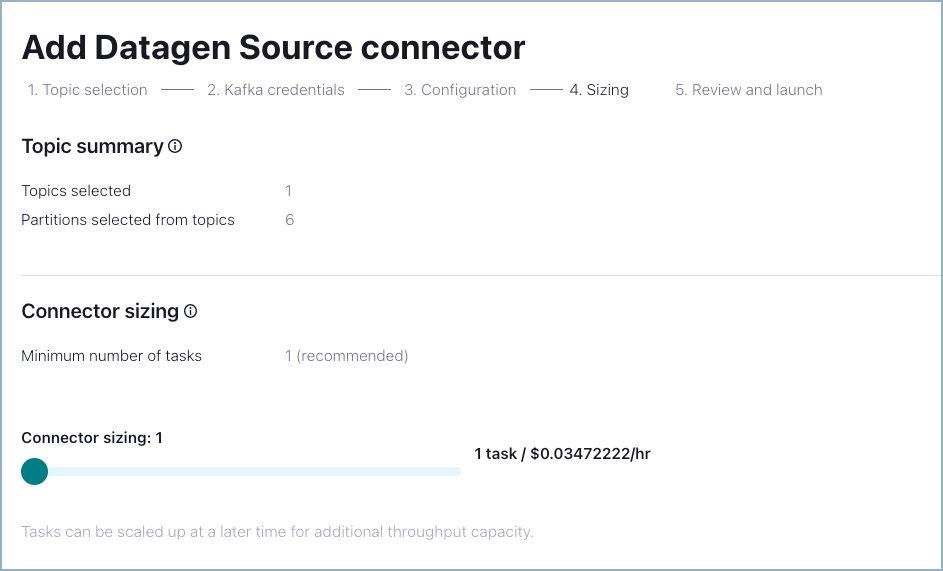
Dedicated Connect cluster hourly pricing is shown on the Review and launch screen the first time you launch a connector.
Dedicated cluster billing is shown as a line item on the Billing and payment > Billing screen.
Self-managed connectors have no billing mechanism themselves. However, note that using self-managed connectors might incur ingress, egress, and storage charges for your Kafka clusters running in Confluent Cloud.
Custom connector cluster
Custom connectors are supported on Basic, Standard, and Dedicated clusters. Your custom cluster is billed based on the following dimensions:
Dimension |
Unit of measure |
|---|---|
Task base price |
Cost per task per hour |
Throughput |
Cost per GB written or read |
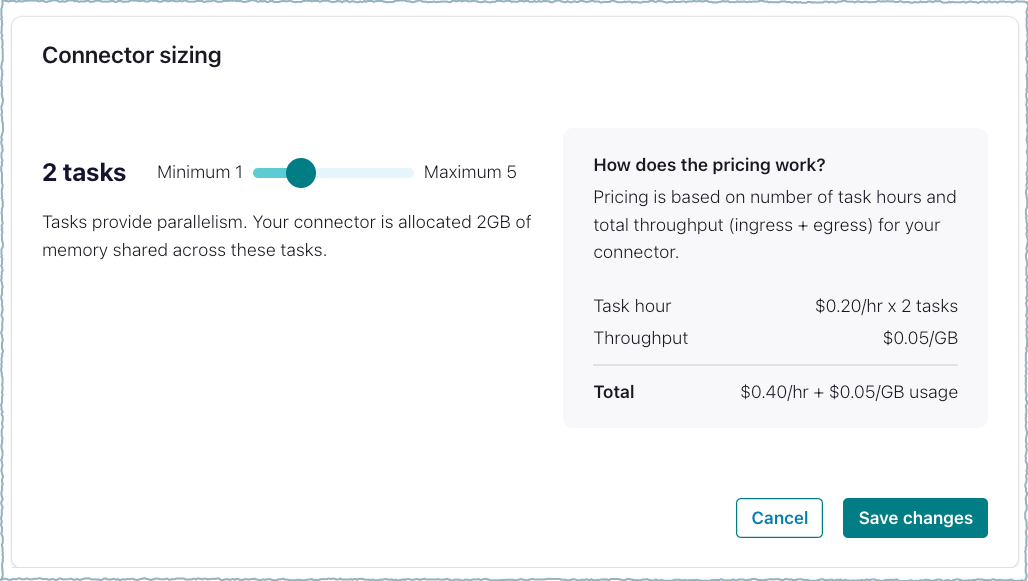
Note
You are responsible for all charges related to using the app log topic with a custom connector, including throughput charges incurred while using APIs, CLIs, or the UI to access log data stored in the app log topic. The throughput limit for the app log topic is 750 Mbps.